
One calm plan for your whole life.
Plyndi is an iPhone app for your day, your money and your trips — with workouts and lists alongside. Type “dinner 480 baht in Bangkok” and it files itself as an expense, converted to your currency.
Free on iPhone and iPad (iOS 17.6 or later). No bank connection, no ads, no data sale. On Android? Get told when it lands.
See what’s in it ↓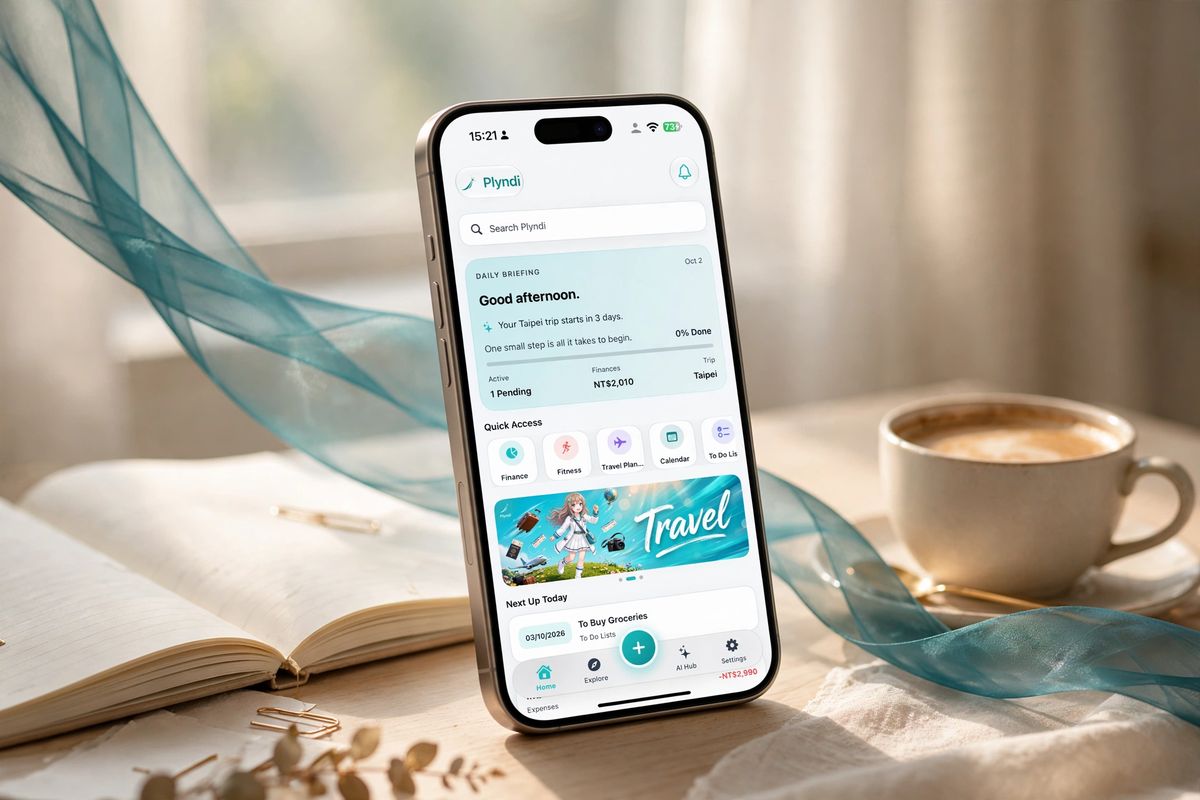
What’s in the app today
- Built Daily Briefing
- Built Money in any currency
- Built Trips, budgets & packing
- Built Quick Add & receipt scan
- Built Fitness plans
- In progress AI itinerary drafting
- Live On the App Store
- Next Android
No screenshots of features that don’t exist. Full build log →
Start your day with one screen
The Daily Briefing shows today’s tasks, spending and your next trip together. Use the parts you need — you don’t have to set up a system first.
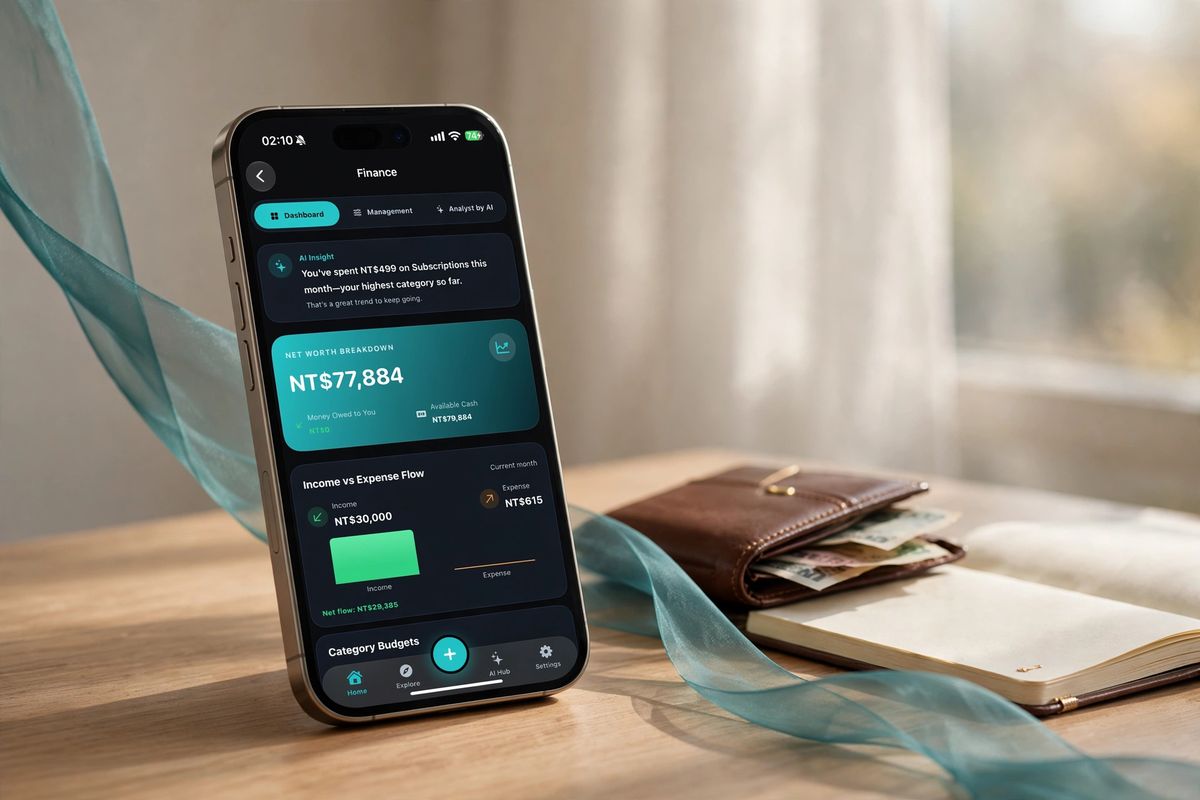
Money, in any currency
Log “dinner 480 baht in Bangkok” and see it in NT$ the moment you hit send. An analyst explains what changed in your spending.
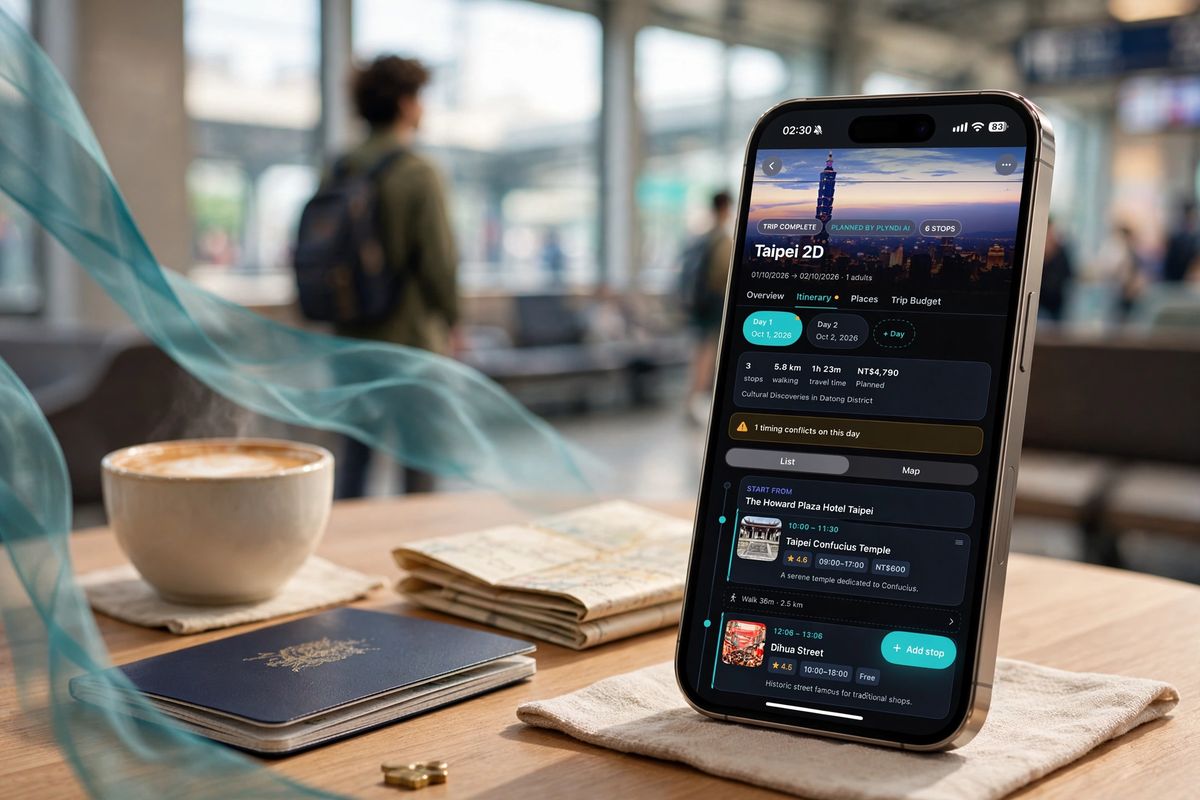
Trips beside daily life
Day-by-day itineraries with transit between stops, a trip budget that stays honest across currencies, and packing lists tied to the trip.
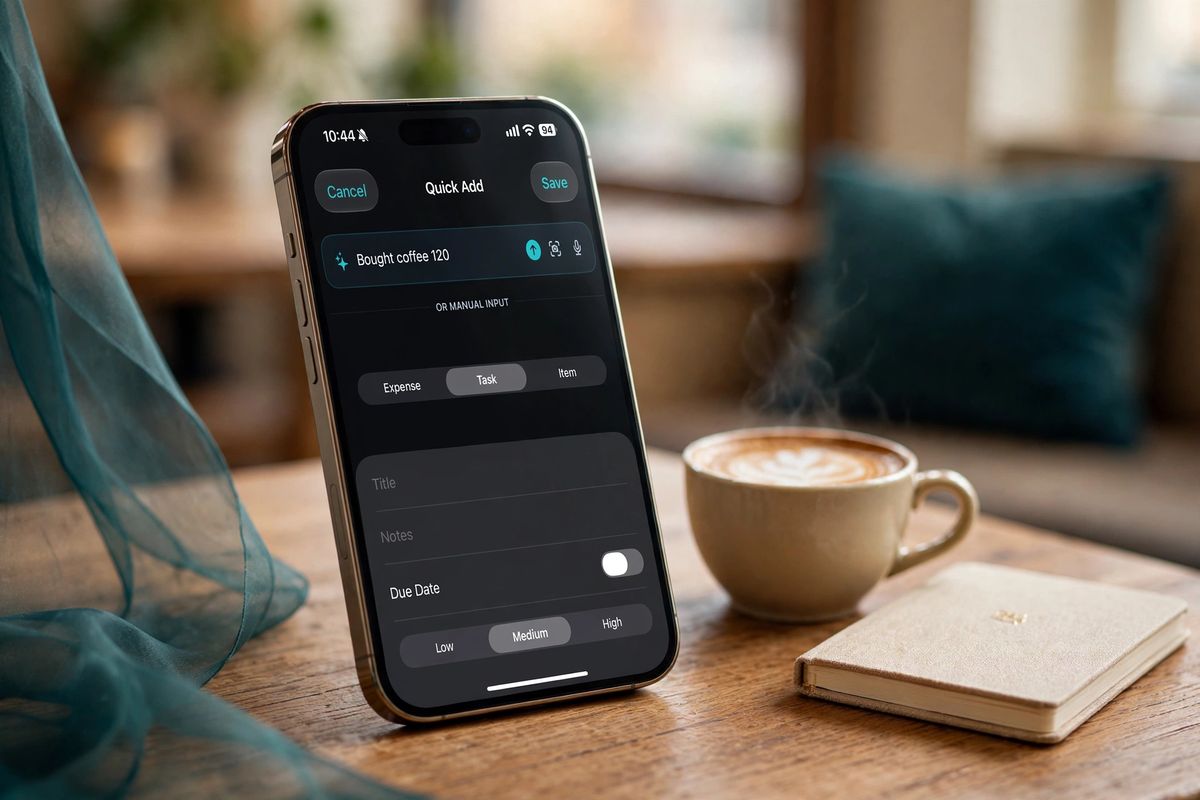
Say it once
Type or dictate one sentence and it files itself as an expense, a task or a packing item. Check it at a glance. Receipts scan from the camera.
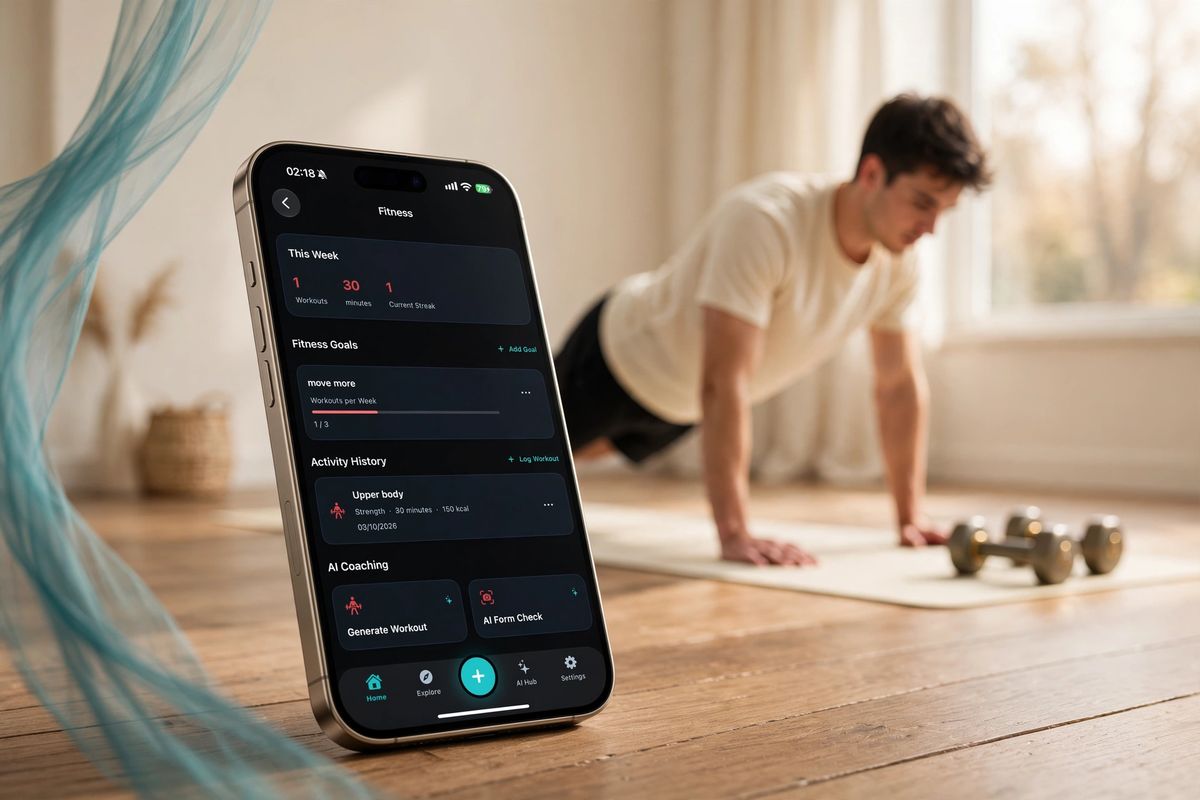
Workouts for your week
A workout plan drafted around your week that you can adjust exercise by exercise.
Planning a trip? Start with a guide
In-depth guides to Asia and Europe, written to be used on the ground: where to stay, what things actually cost, and how to get around.

Tokyo for First-Timers: A Neighborhood-by-Neighborhood Guide
Which districts to base yourself in, and where locals actually eat.
Read the guide →
The Complete First-Timer's Guide to Bangkok
Temples, river boats, and where the street food is actually worth the queue.
Read the guide →
Tracking travel expenses in multiple currencies
How to keep a trip budget honest when you pay in three currencies.
Read the guide →All destinations
JapanTokyoKyotoOsakaOkinawaHokkaido
ThailandBangkokChiang MaiPhuketKoh Samui
VietnamHanoiDa NangHoi AnHo Chi Minh CityQuy NhonPhu Quoc
TaiwanTaipeiKaohsiungTainanTaitungKentingHualien
South KoreaSeoul
IndonesiaBali
SingaporeSingapore
MalaysiaKuala Lumpur
Hong KongHong Kong
PhilippinesCebu
FranceParis
ItalyRome
SpainBarcelona
Sketch a trip in ten seconds
Pick a city and a trip length and it lays out a rough day-by-day frame to start from. It’s a fixed template, not AI — then keep the real plan in the app.
Your day-by-day sketch will appear here — pick a city and hit generate.
Built in the open by one person in Taipei
I’m Adrian — a student in Taipei who got tired of travel guides written to rank rather than to help, and started writing the ones I wanted. Plyndi started as those guides — then the same frustration showed up everywhere else, and it grew into one calm plan for your whole life.
- No guide goes up until it covers getting around, what things actually cost, and at least one mistake worth avoiding.
- Guides carry a “last updated” date and get corrected when prices or transit change — email me when you catch one.
- Plyndi Premium funds the app. The guides may carry affiliate links — a temporary way to keep them free, disclosed on every page that has them, never deciding what gets recommended.
Questions people ask
When can I download Plyndi?
Now. Plyndi is on the App Store for iPhone and iPad (iOS 17.6 or later) — download it here. The build log shows what’s finished and what’s still being tuned.
How much will it cost?
Plyndi is free to download. Plyndi Premium is the optional subscription that unlocks the AI features, monthly or yearly, with a 2-week free trial for new subscribers. Billing goes through Apple, and the App Store shows the price in your local currency.
Is my money data private?
Plyndi never connects to your bank — you enter amounts yourself. By default your data stays on your device. When you use an AI feature, only the data that feature needs (for example, recent expenses for a spending summary) is sent to Plyndi’s server and an AI provider. No ads, no data sale. Details in the app privacy policy.
Do I need an account?
You sign in with Apple or Google; Plyndi only receives the basic profile those providers share. You can delete your profile and data from Settings at any time.
Will there be an Android version?
It’s planned, on the same backend. If you use Android, leave your email — that tells me how many people are waiting, and you’ll get one email when it’s out.
Is the trip sketch on this page AI?
No, and it doesn’t pretend to be. It arranges a fixed list of well-known anchor activities across the number of days you enter. Treat it as a frame to rearrange, then read the full guide for hours, prices and how to get between stops.
How does Plyndi make money?
Plyndi is funded by Plyndi Premium subscriptions and by client projects (website and app development). The travel guides may carry affiliate links on some booking buttons — a temporary way to keep them free, at no extra cost to you. There is no display advertising on this site. Details on the disclosure page.
How often are guides updated?
Each guide shows a “last updated” date. Prices, opening hours and transit details change, so guides get revisited rather than left to go stale — and corrections from readers get handled first.
Need a website or app for your business?
The same care goes into client work: business websites, booking and CMS platforms, and custom iOS, Android and web apps. Clear scope and price before any work starts.
-


Thank you, Wander Asia, for trusting Plyndi with your website. We’re proud to see it live and helping travelers discover Taiwan with local guides.